← Product designP—03
Glimpse
A living map of the world you define.
A camera that saves the photos you never post onto the street where you took them.
Working prototype. Shared photos build a map of places, with no names, likes or followers.
- Role
- Product designer & developer
- Type
- iOS · Android · Web
- Duration
- 1 month
- Year
- 2026
- Built with
- Expo · React Native · Supabase
“Where did my photo go?”
- 01People take more photos than ever.
- 02They look at almost none of them again.
- 03They sink into camera rolls and lose where they were taken.
Research
Where it started
I started Glimpse for myself. I photograph the places I go, but those photos are never posted and rarely opened again: about 20 GB of my 128 GB phone. The photos I go back to have people in them; the photos of places sit untouched. If I feel this way, do other people? I turned to published research to find out.
- Stored photos get lost. Parents failed to find almost 40% of their family photos from a year earlier; volume and scattered storage made it worse. [7]
- Taking a photo can replace remembering. People remembered less about museum objects they photographed than ones they only looked at. [8]
- Much of it is clutter. About 20% of phone storage goes to blurry, dark or duplicate photos, across 6 million users in 45 countries. [6]
- Phones fill up. 51% of Americans have deleted photos to free up space, and 36% keep photos in so many places they forget where they are. [5]
- Sharing changes the experience. Taking photos to share, rather than for yourself, lowers enjoyment, because attention shifts to how others will see you. [9]
- People get the attention. Instagram photos with faces get 38% more likes and 32% more comments; in memory tests, people are the most memorable images and landscapes among the least. [10] [11]
Where existing apps sit
Every app people already use is either public and built around people, or private and built around one person’s memories. None is public and built around places.
| Apps | Public | Built around places | Privacy-first | Layered by time | Takeaway |
|---|---|---|---|---|---|
| Instagram, Xiaohongshu, BeRealSocial apps | Yes | No | No | No | Built around people and reactions; an ordinary street feels “not worth posting”. |
| Apple Photos, Google PhotosPhoto libraries | No | Partly | Yes | No | Well organized, but resurfaced memories are about you. |
| Camera rolls, map pins, Flickr albumsPersonal archives | Partly | Partly | Partly | No | Kept, but seen by no one, often not even you. |
| Glimpse | Yes | Yes | Yes | Yes | An anonymous archive of places, layered by hour and year. |
High-level goals that defined my design
- 01Place over person.
Put places, not people, at the centre: no names, no likes, no followers, just a catalogue number.
- 02Meaning over storage.
Give unposted photos meaning by mapping them as memories, pinned to the real places they were taken, instead of letting them pile up in the camera roll.
- 03Time as a dimension.
Show how one place changes by the hour and over the years, through everyone’s photos of it.
Glimpse turns the photos you never post into a living map of places.
Everything in Glimpse starts from the map, and each part answers one of the goals above: meaning over storage, place over person, time as a dimension.
Your photos, back where you took them
Every photo you take or keep goes onto the street where it was taken, instead of piling up in the camera roll. Your world stacks them street by street, the year bar switches between years, and zooming out shows every city you’ve photographed.
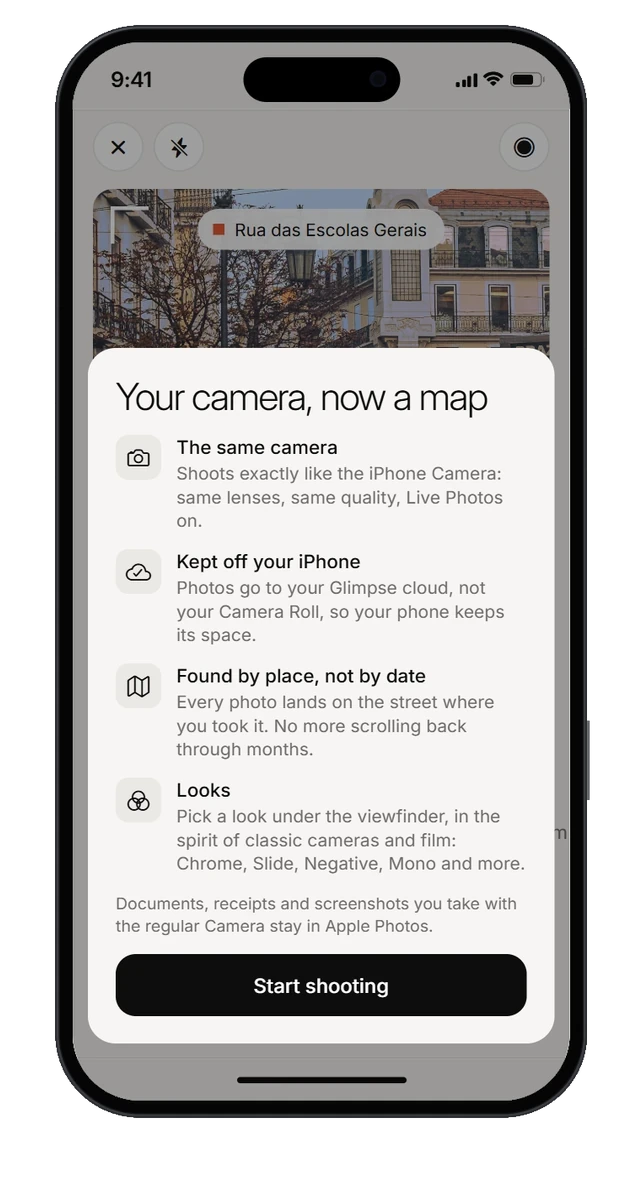
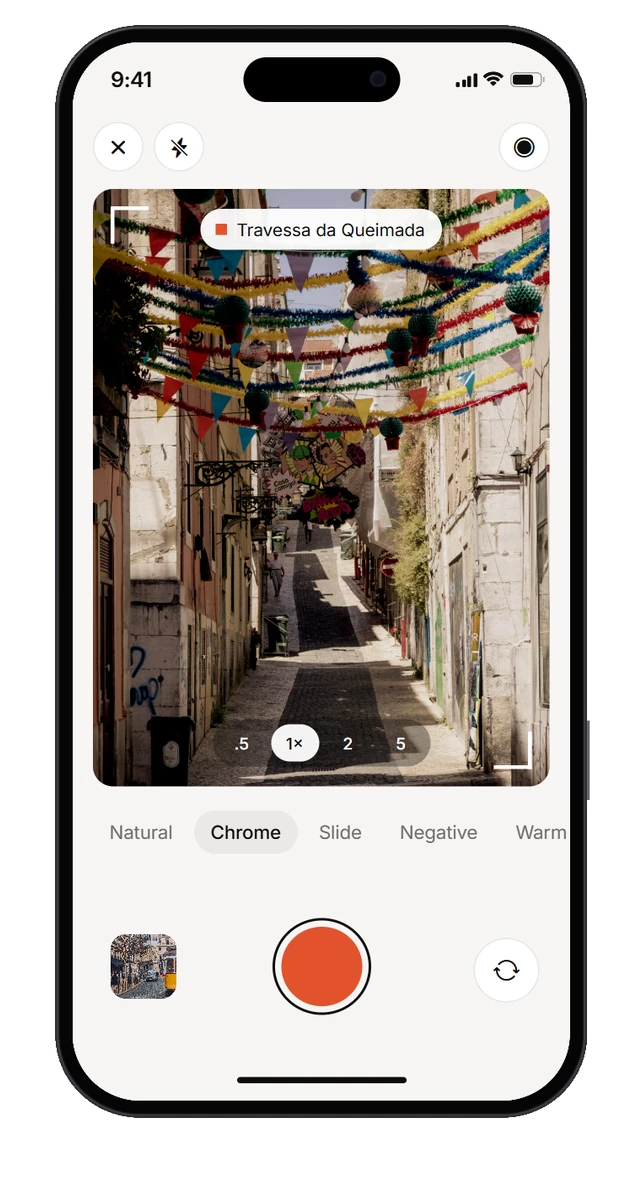
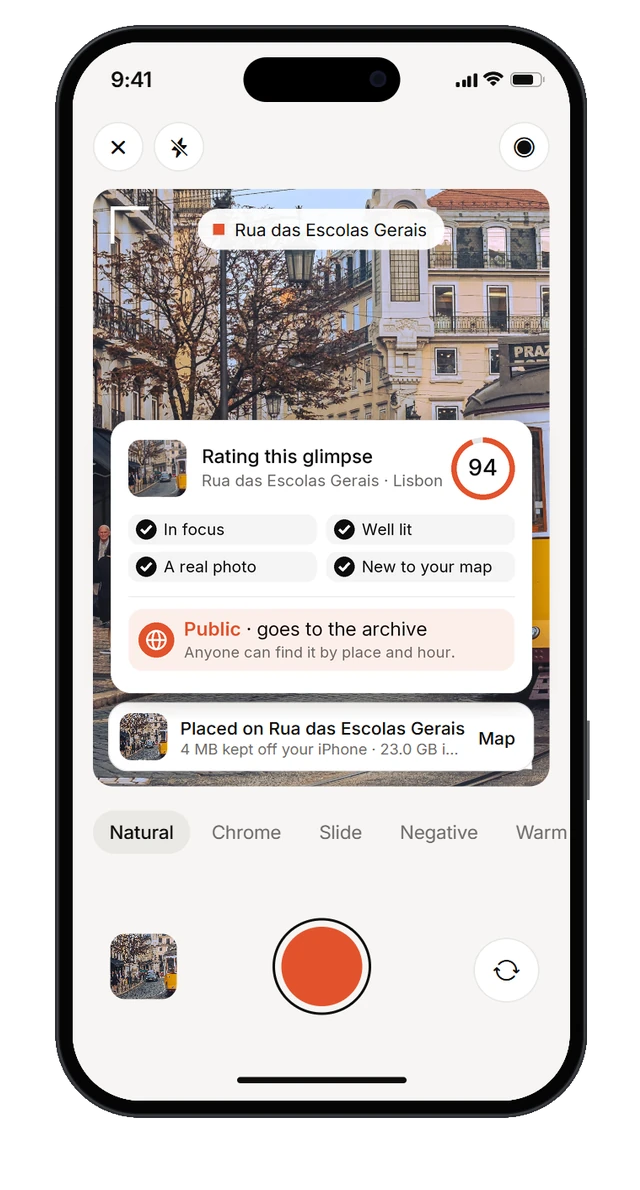
A camera that files by place
It shoots like the iPhone camera, but each photo goes onto the street where you took it, not into the camera roll. AI rates every shot as it lands: high-quality photos you allow to be shared go into Everyone’s world, and the rest stay private on your map.
Everyone’s world, without the people
The photos people choose to share build Everyone’s world: a public map of places, with no names, no likes and no followers. Every glimpse is about where and when it was taken, never about who took it.
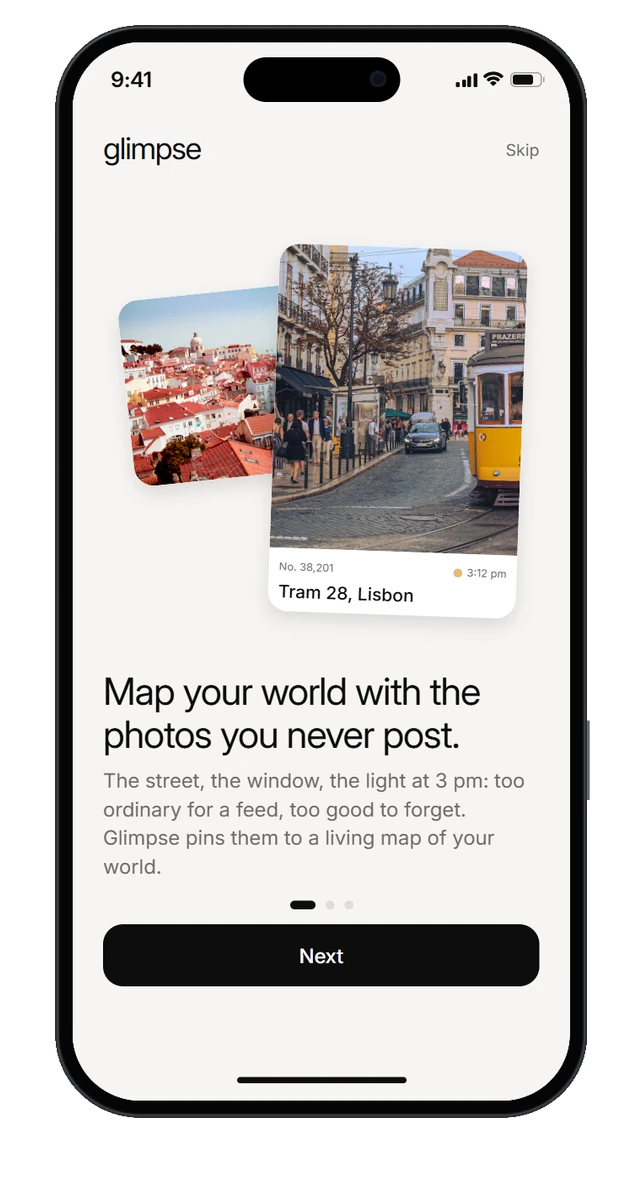
First launch, in three cards
What Glimpse is, how it differs from a social feed, and why the archive grows. Then straight into the archive.
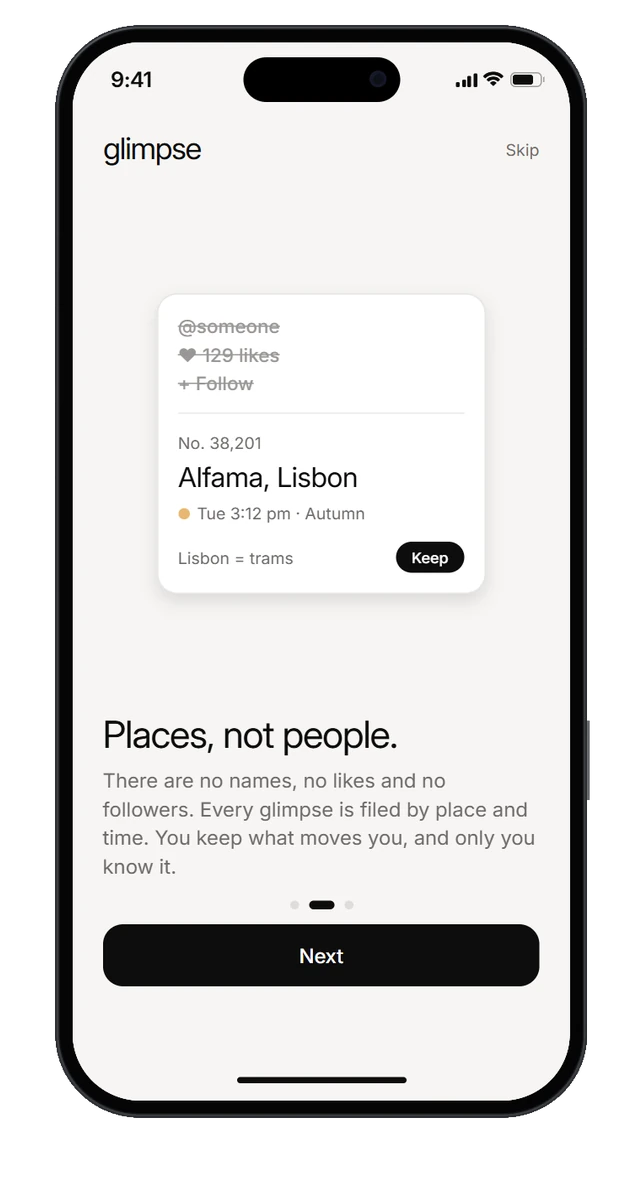
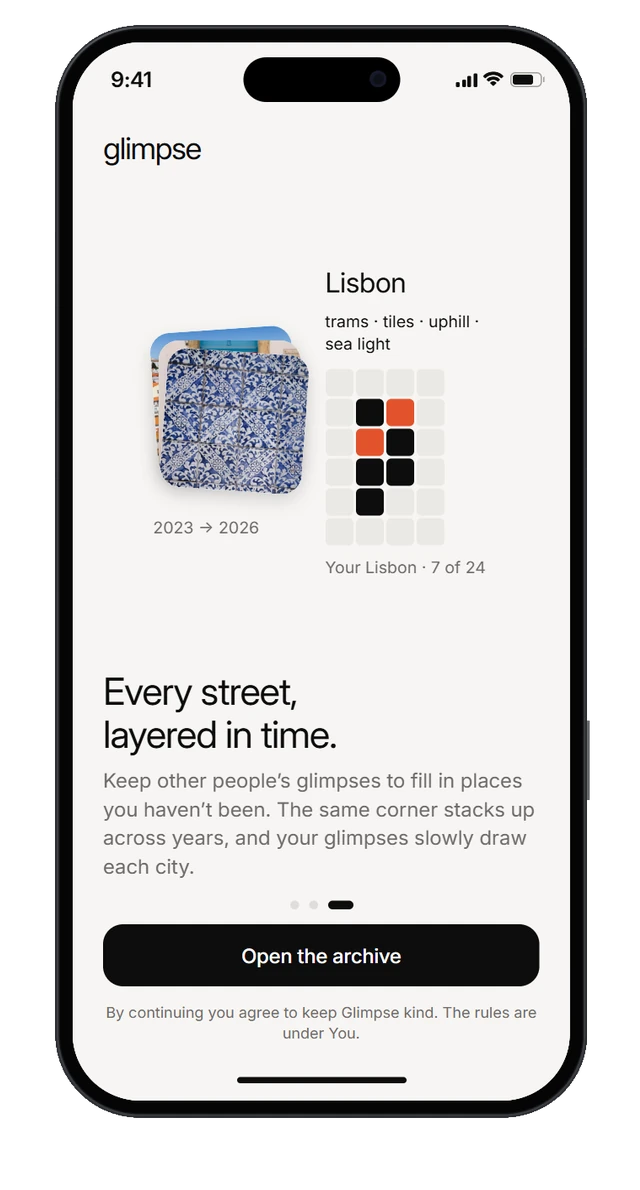
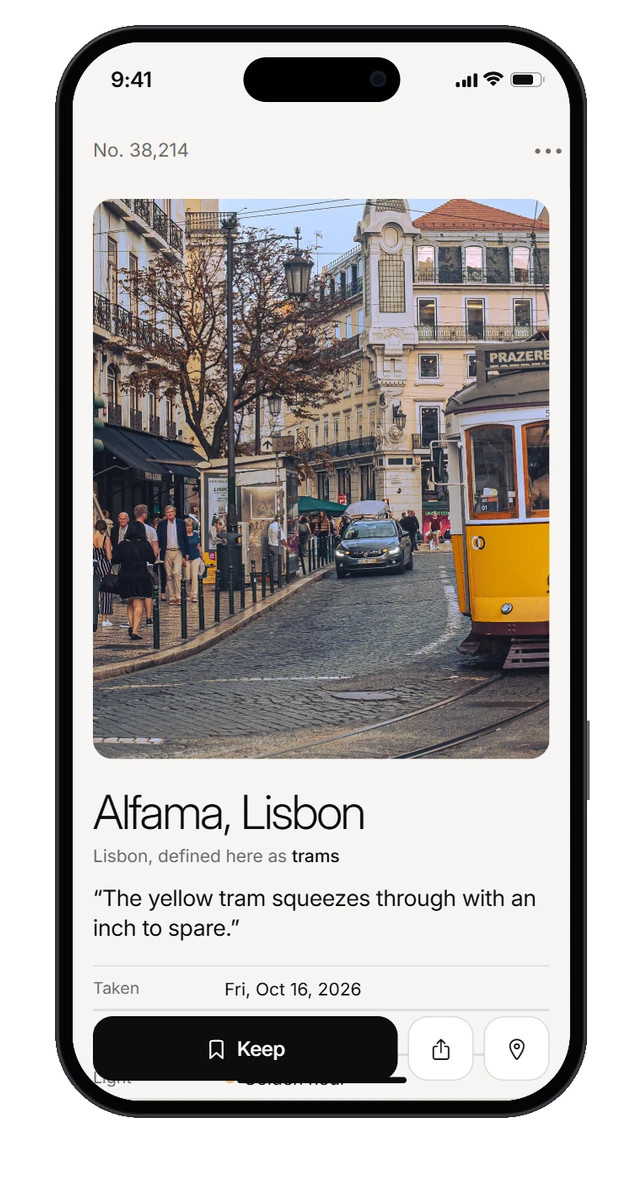
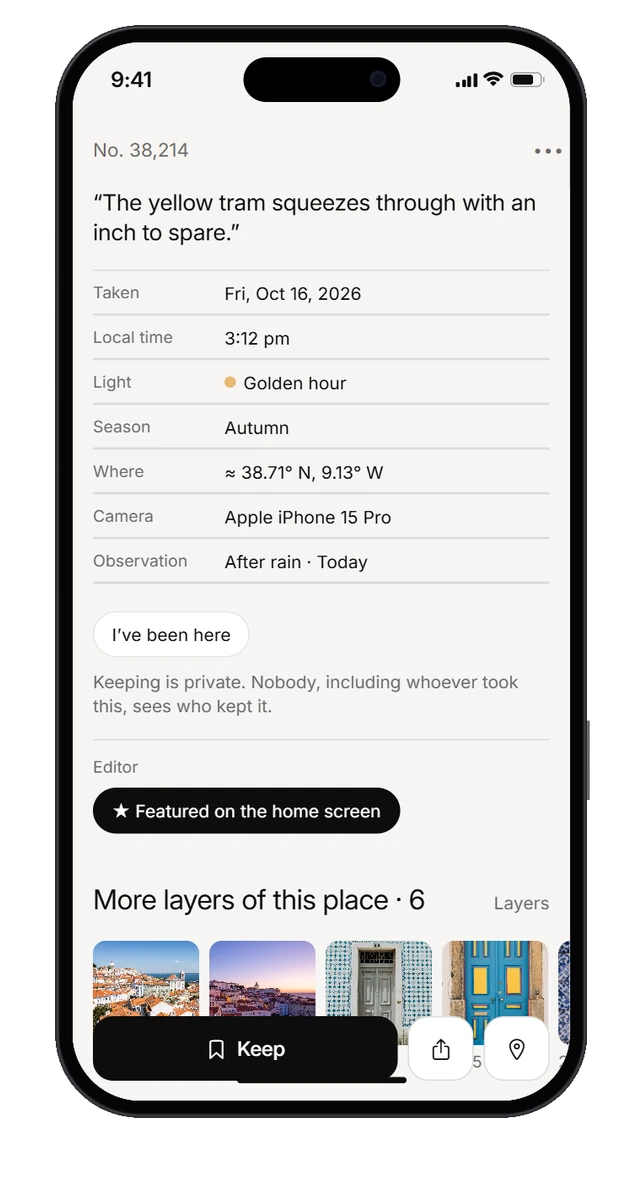
A glimpse, up close
No name and no likes: a catalogue number, the place, one line, and when and in what light it was taken. Below it, the other layers of the same place and notes from people who know it.
One place, through time
The same place keeps changing, so Glimpse lets you move through it in time, by the year and by the hour.
Layers, year by year
Layers groups everyone’s glimpses of a place into the views people return to, then steps through each view year by year.
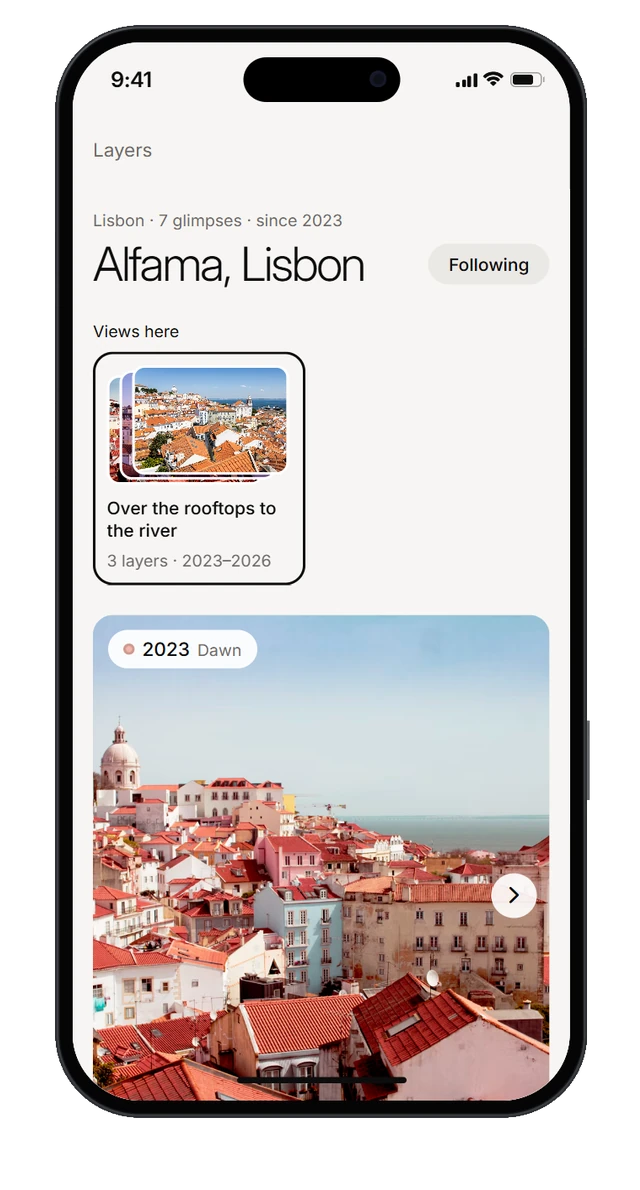
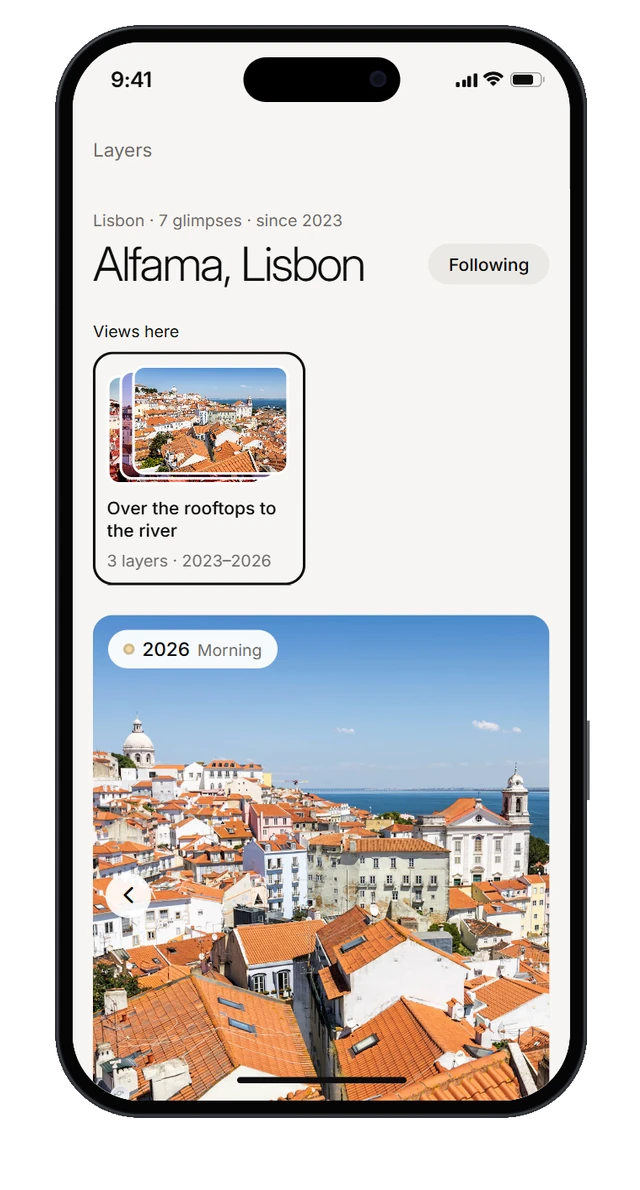
Now, hour by hour
One hour per page: swipe to move through the day and around the world, each hour in its own light. On the Yours side, the same hour shows every photo you took at that time of day, wherever you were and in any year.
Explorations
-
Now.
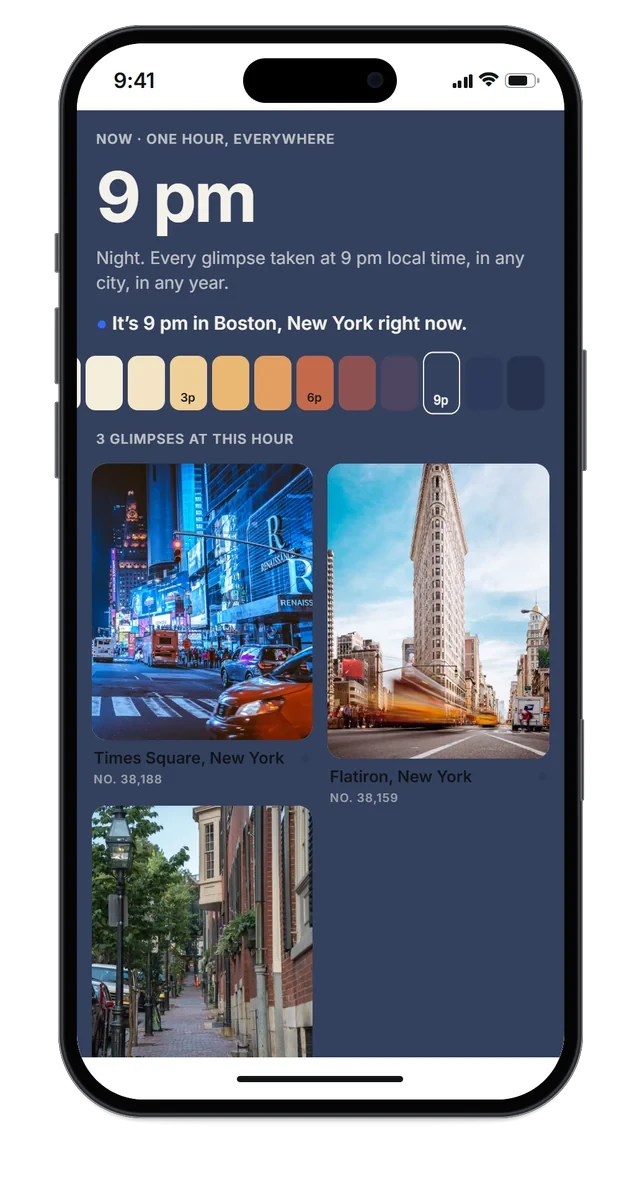
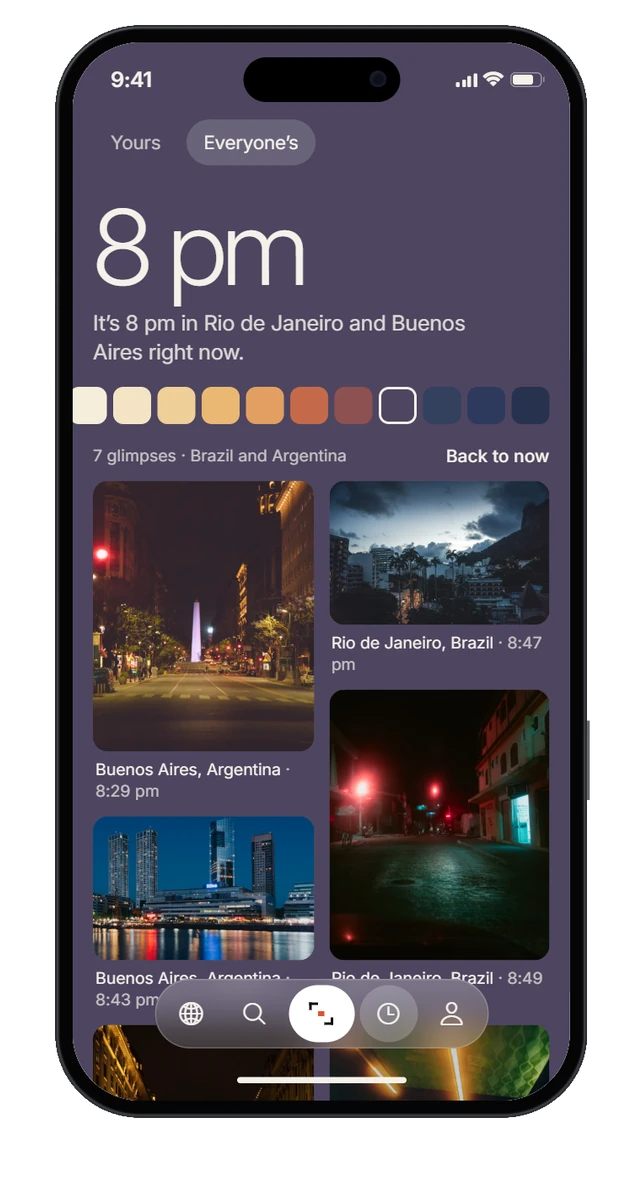
From every photo taken at 9 pm, anywhere, to one page per hour, in the cities where it’s that hour right now.
-
Layers.
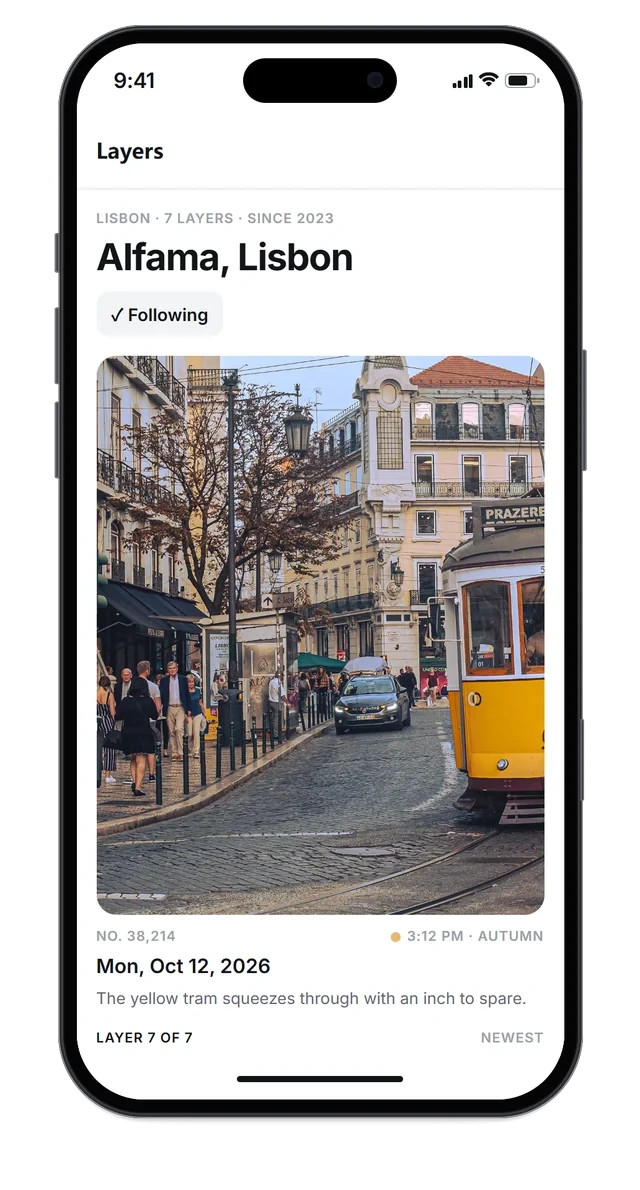
From one large photo and a layer count to the views people return to, year by year.
-
Capture.
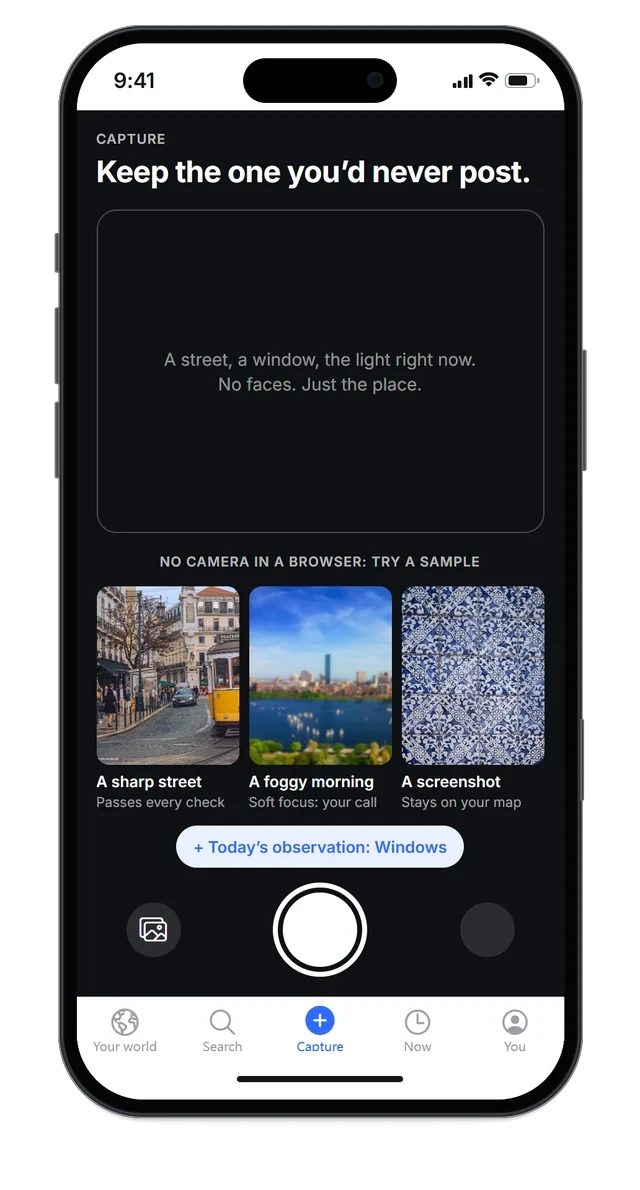
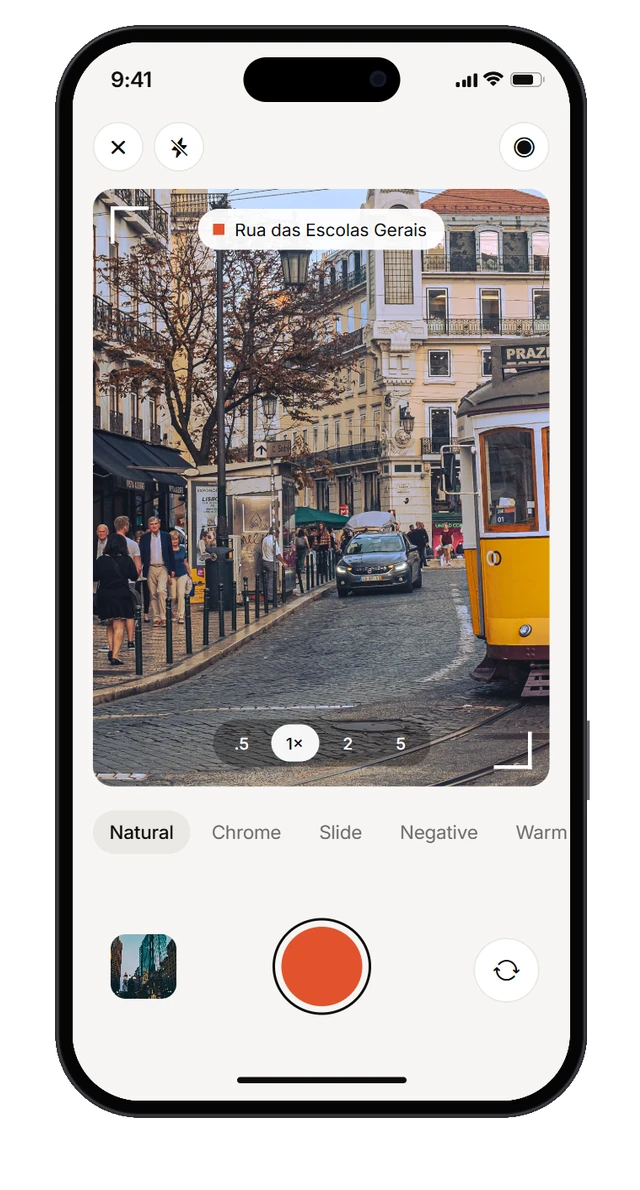
From a form that still felt like posting to a camera: the photo is on your map the moment you take it.
-
Hour Light.
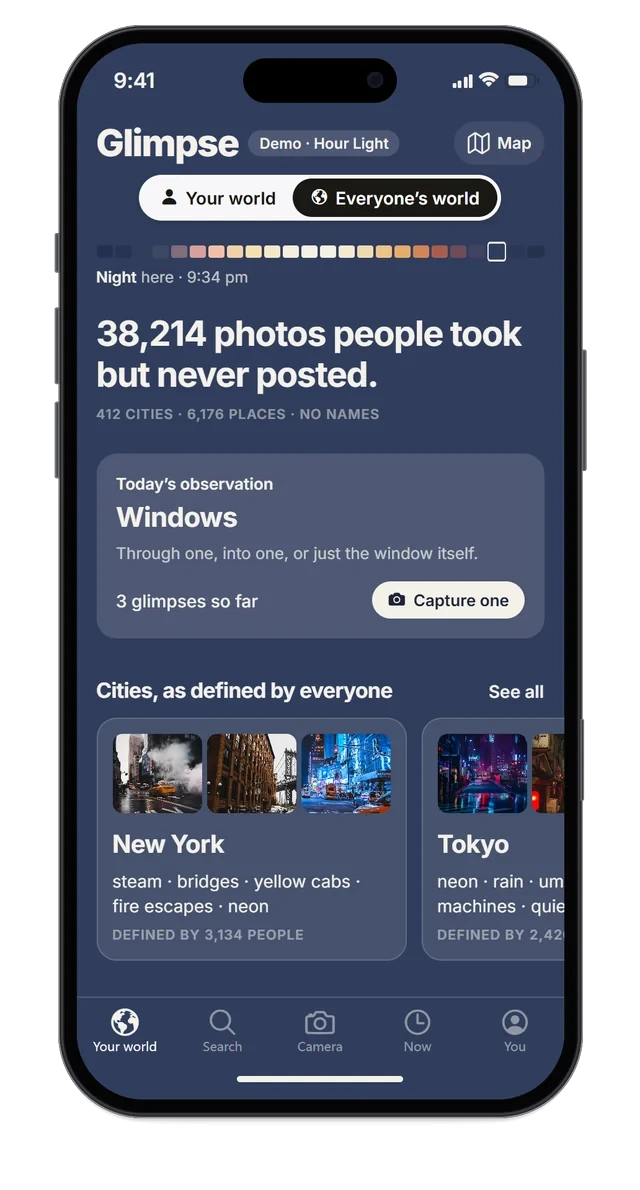
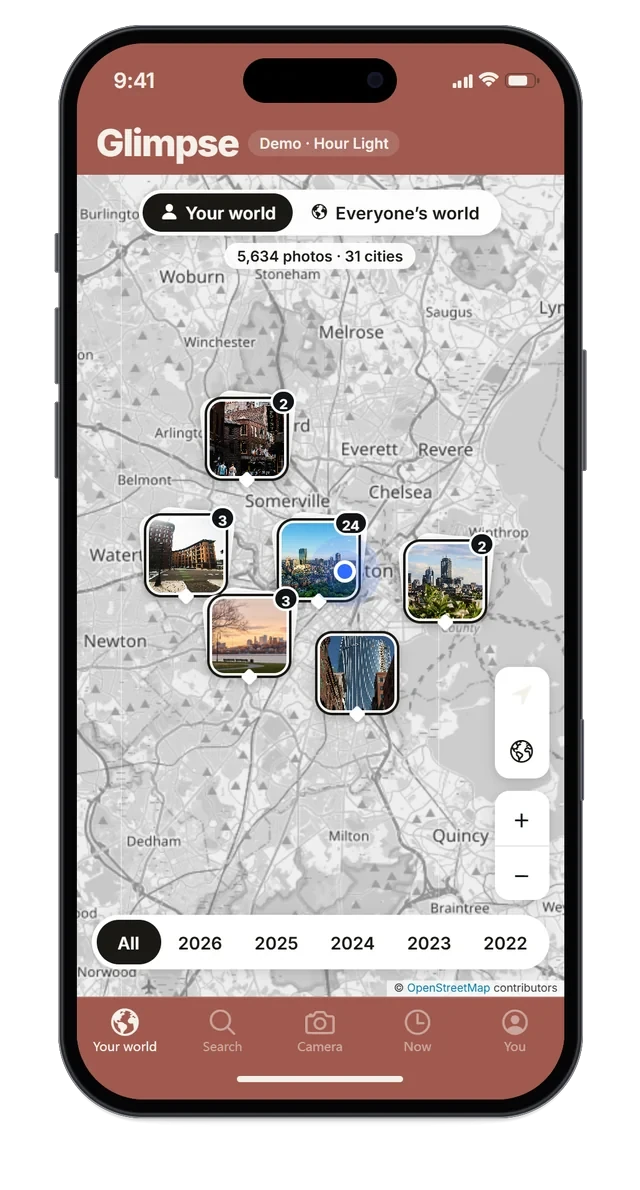
An alternative style in progress: the whole interface takes the colour of your local hour.
Next Steps
- 01Measure people vs. places.
A survey to put a real number on how often people revisit photos of places compared with photos of people.
- 02Build the real camera.
The camera runs on sample scenes for now. Next is a native camera and a real cloud library, so the space it saves is measured, not estimated.
- 03Test and moderate.
Usability tests with real users, and server-side image moderation before the archive opens to everyone.
Sources.
- PetaPixel, reporting Photutorial (2025). The number of photos taken in 2025 is expected to exceed two trillion.
- Popsa / Censuswide (2026). The Memory Economy report, 8,000 people in the US, UK, France and Germany.
- Shutterfly / Edelman Berland (2014). Americans are taking more photos but failing to share memories, 1,169 US adults.
- Pew Research Center (2018). Teens’ social media habits and experiences, 743 teens.
- mail.com / Opinion Matters (2017). American online users struggle with handling their digital photos.
- Avast (2019). Snap-happy smartphone generation loses 20% of phone memory to terrible pictures.
- Whittaker, Bergman & Clough (2010). Easy on that trigger dad: a study of long term family photo retrieval. Personal and Ubiquitous Computing.
- Henkel (2013). Point-and-shoot memories: the photo-taking impairment effect. Psychological Science.
- Barasch, Zauberman & Diehl (2018). How the intention to share can undermine enjoyment. Journal of Consumer Research.
- Bakhshi, Shamma & Gilbert (2014). Faces engage us: photos with faces attract more likes and comments on Instagram. CHI 2014.
- Isola, Xiao, Torralba & Oliva (2011). What makes an image memorable? CVPR 2011.
- r/OldPhotosInRealLife community statistics (GummySearch).