Kumi
One glance tells you what’s next.
The deadlines, events and messages spread across your apps, ordered by when they’re due.
Interactive prototype. The screens use sample data; real account connections are next.
- Role
- Product designer
- Type
- Web · Wallpaper · Phone
- Duration
- 3 weeks
- Year
- 2026
- Built with
- Figma for the design, Claude Code for the code
At a glance
One board for the things you would otherwise check app by app.
One list across apps.
Deadlines, events and replies together, ordered by when they are due.
Colour-coded with meaning.
The hue tells you the kind. The amount of colour tells you the urgency.
A dashboard you customise.
A window beside your work, with more detail as you make it larger.
01 Problem
A day spread across a dozen apps.
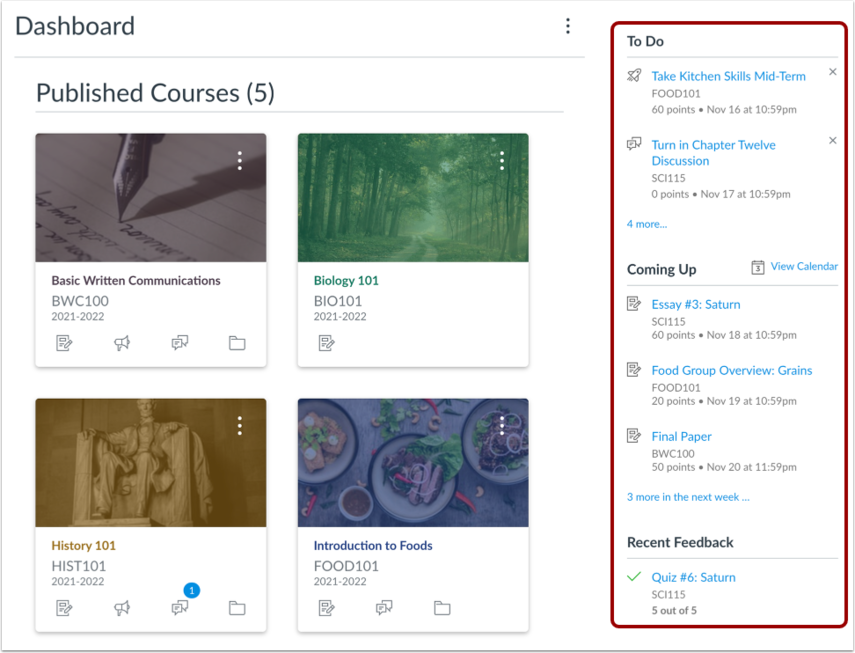
CanvasCoursework and deadlines
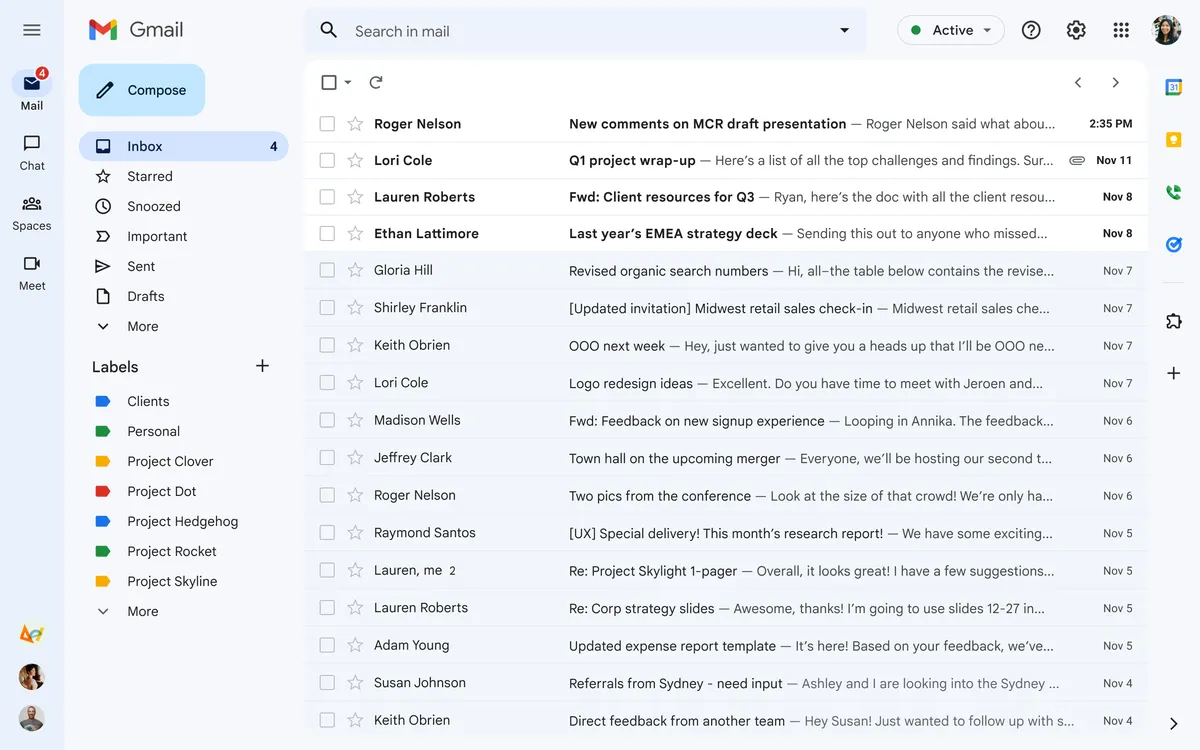
GmailMessages and replies
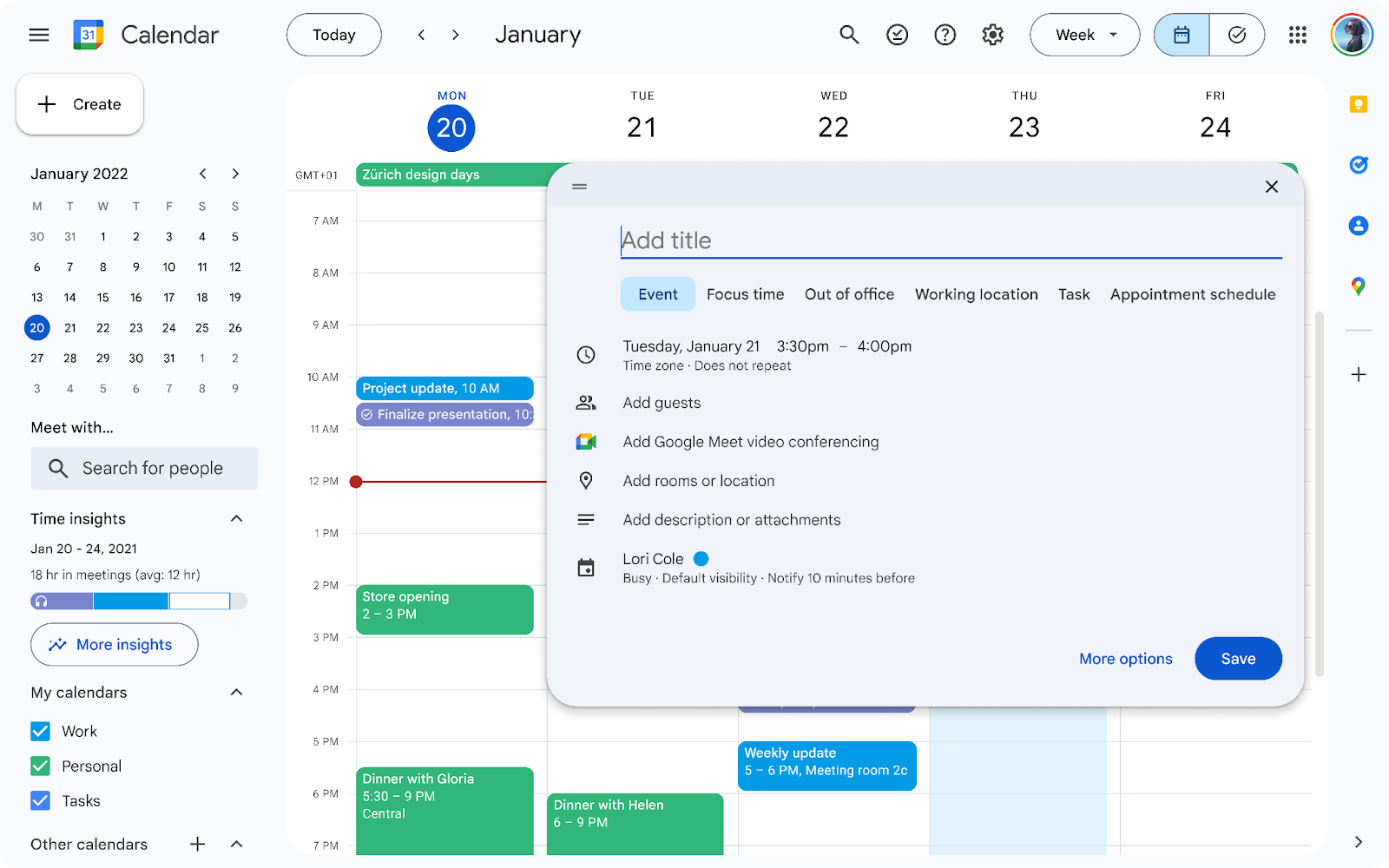
Google CalendarEvents and schedules
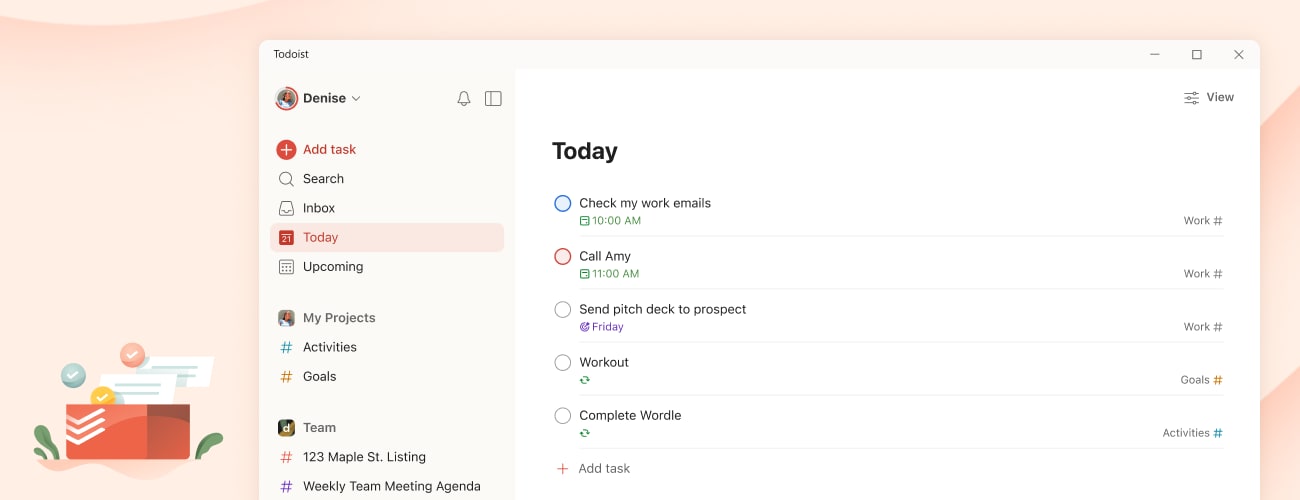
TodoistTasks and reminders
A student’s schedule, deadlines and messages live in different places. Knowing what is next means opening each app, and moving what is due into a calendar or to-do list by hand.
Kumi starts with that round of checking: the information already exists, but it is not together.
Too many places to check.
The calendar, inbox and course tools each hold a different part of the day.
Switching just to get a picture.
Understanding what is next means opening those apps one after another.
Organizing the same information again.
Deadlines get copied into another calendar or list.
02 Solution
One small window. Five ways to make the day clearer.
Needs you now, colour-coded with meaning.
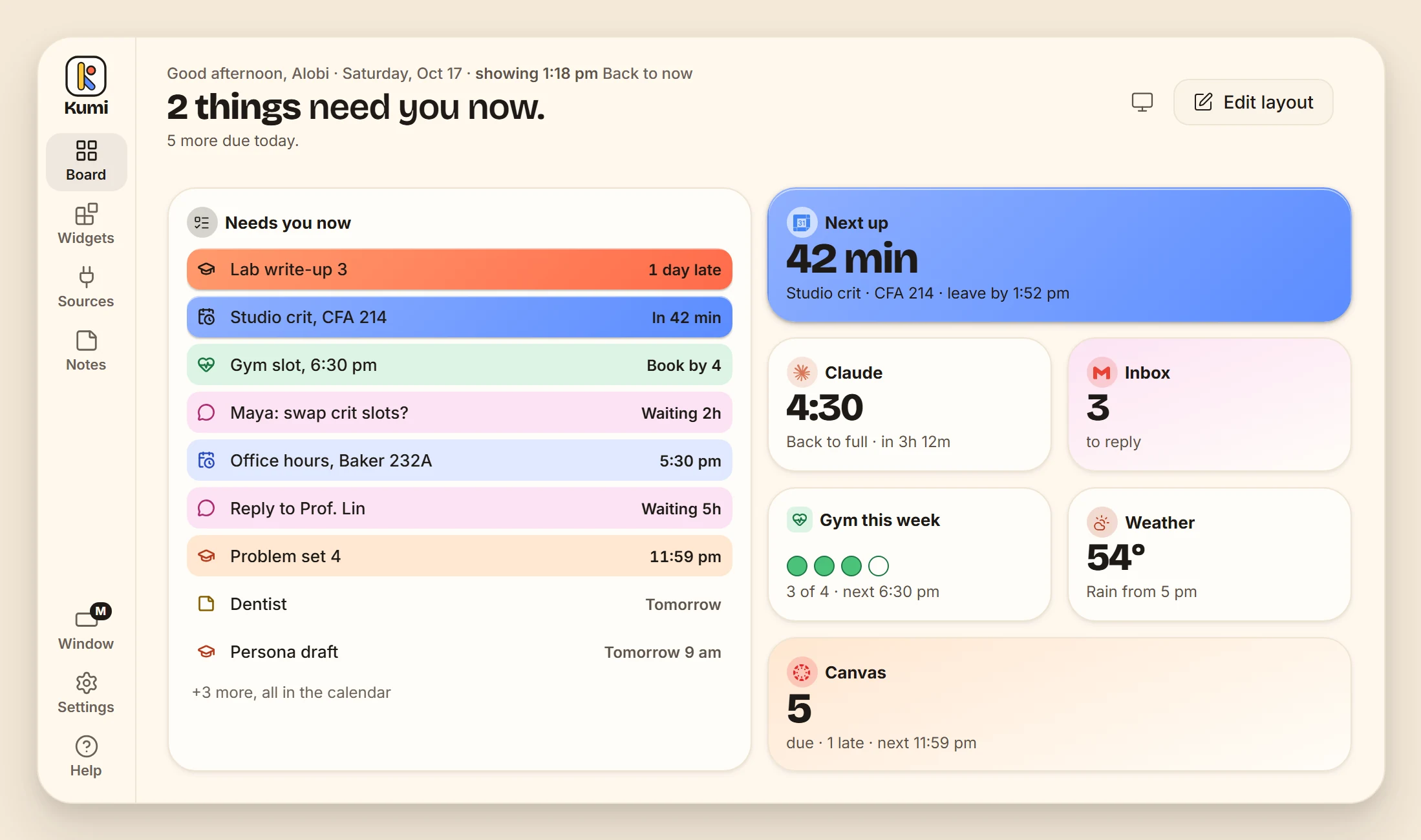
Deadlines, events, replies and reminders sit in one list, soonest first. Kind is shown by a colour, icon and word; urgency changes how much colour an item carries. Done, Snooze and Dismiss come with Undo.
- ClassCanvas, Todoist, deadlines
- TimeCalendar, Zoom, gym bookings
- PeopleGmail, iMessage, Slack
- BodyHealth, gym, Grubhub
- YoursYour notes and trackers
- ToolsClaude, GitHub, Notion
- NowSolid, outlined, a hard shadow
- SoonA soft tint and a coloured edge
- LaterPlain paper and a dot
A dashboard you customise.
Edit layout turns the board into a grid of open cells. Drag a widget to a new place, or pull its corner to make it larger or smaller, and the rest of the board moves out of the way. A widget shows more as it grows, and every drag also has a one-click or keyboard alternative.
One small window, any size.
Three sizes, each in landscape or portrait, and a wallpaper that fills the screen. Widgets show more detail as the window grows; at their smallest, they keep only the app, one number and a few words. Smaller still, Kumi can float just the next thing: one card that stays on top of every other window, in the same colours as the board.
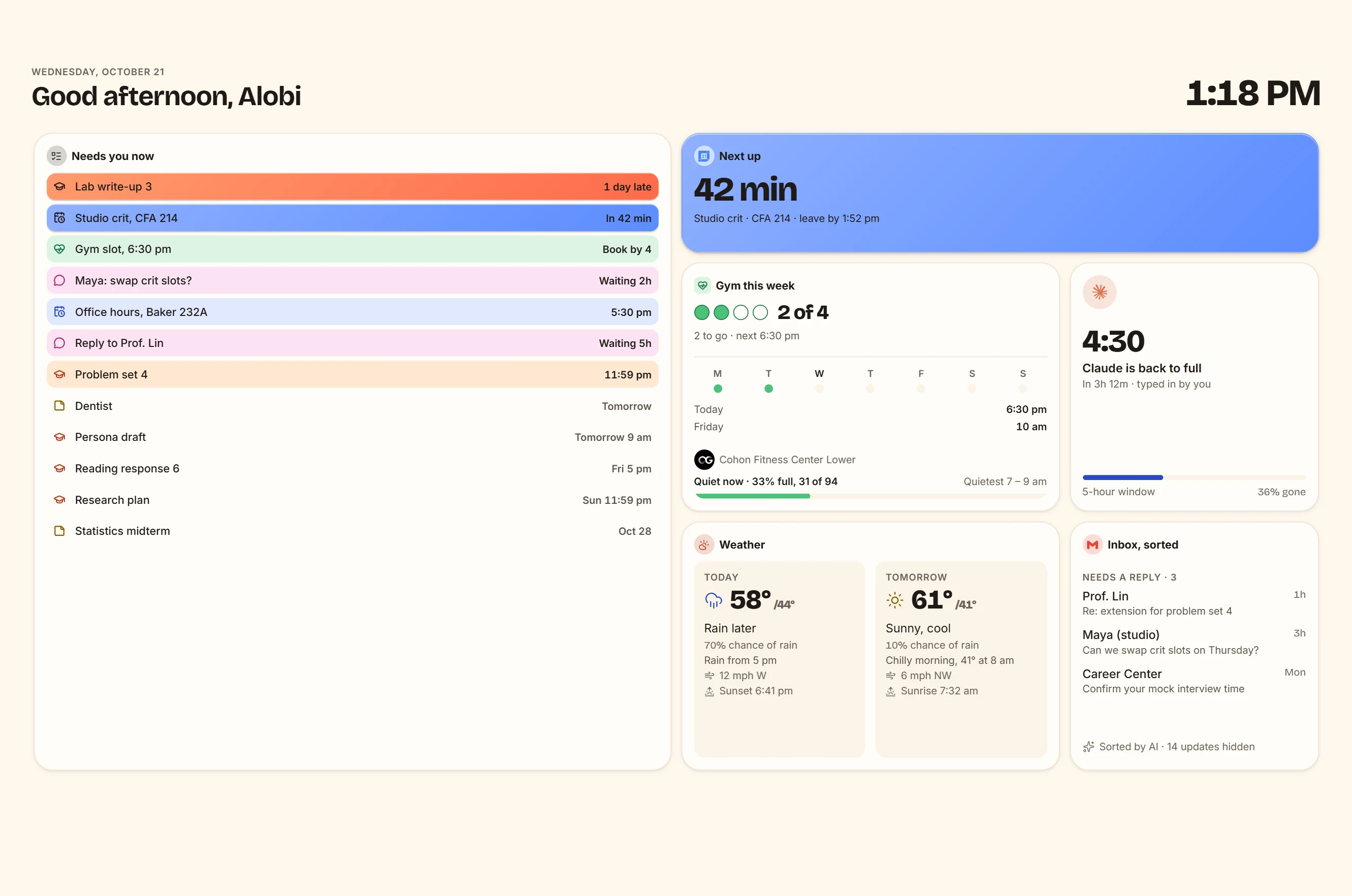
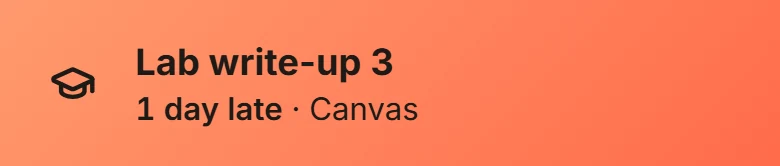
The same inbox, from a glance to the whole list.
 1 × 1 · a glance
 2 × 1 · a tile
 2 × 2 · who's first
 3 × 3 · the whole list
Widgets from the apps you use.
Each app brings its own widgets. On Connected apps, connecting one puts its main widget on the board, and the rest are listed under it. The Widgets page holds only what Kumi makes itself, the widgets that need no app: a chart, a tracker, a notice, a timer, a countdown, a world clock, a checklist and a quick note. The two pages never offer the same widget. Connections are designed to be read-only; the prototype uses sample data.
Each app brings its widgets.
Kumi’s own widgets, for everything else.
How each app would connect
- Sign in, read-onlyGoogle CalendarGmailSlackGitHubTodoistZoom
- A feed or a tokenCanvasNotionTrelloOutlook CalendarAirtableAsana
- Through your emailLinkedInHandshakeIndeedGlassdoorEventbriteCalendly
- A small helperiMessage · MacApple Health · ShortcutApple RemindersApple CalendarChrome · extension
- Open data or typed inWeatherOpenGymGrubhubClaudeChatGPTTransit schedules
Example connections, not live integrations. Availability and permissions vary by app.
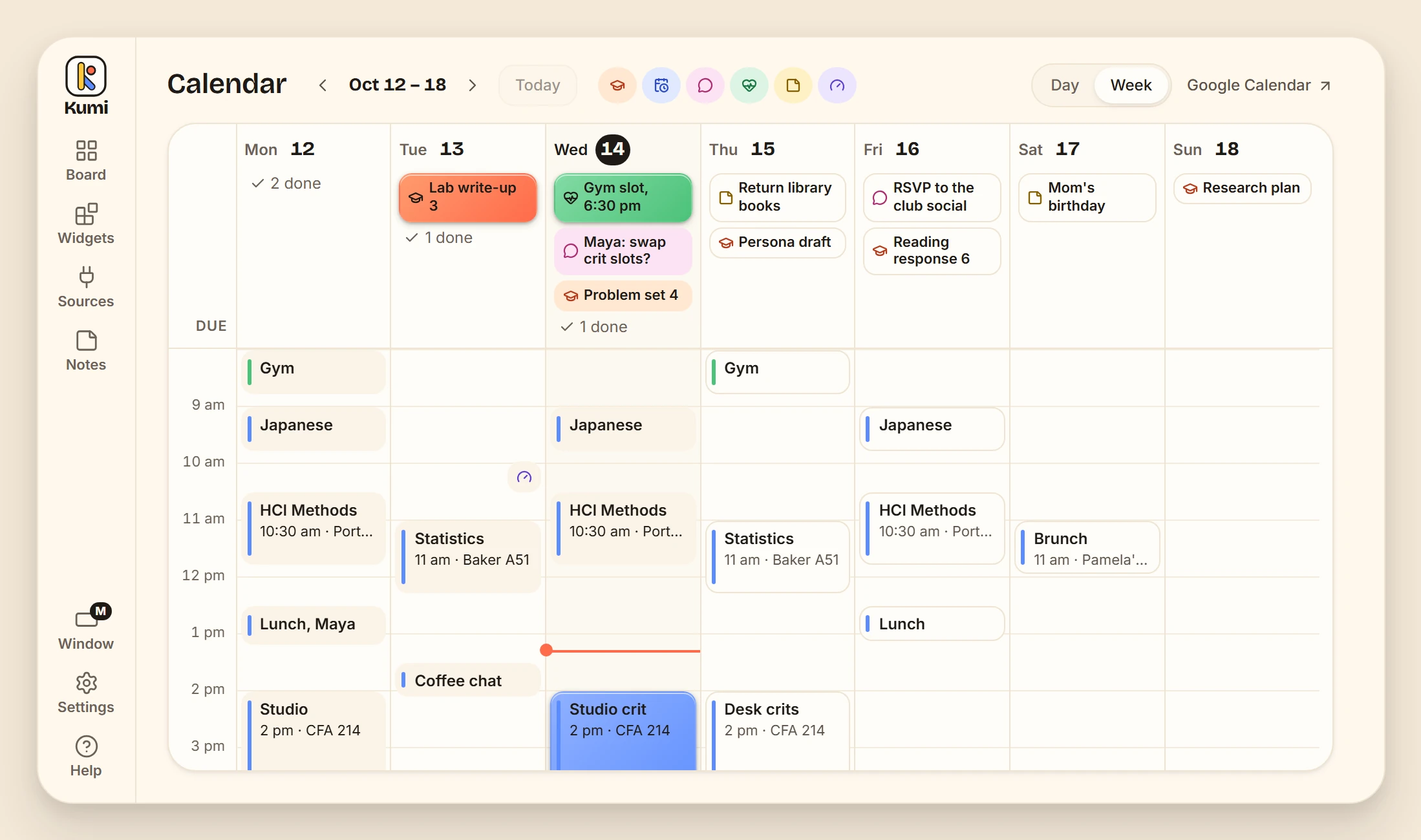
A calendar that fills itself.
What is due sits under each day, in its colour. Events stay quieter below it. The design brings the same items from the board into a week view, without entering them a second time.
Designed with access in mind.
Kumi targets WCAG 2.2 AA, with keyboard operation, measured contrast in both themes, tables alongside charts, and Undo messages that do not time out. Automated tests check every page against it in light and dark, at desktop, tablet and phone sizes; a screen-reader pass and testing with people are still next steps.
03 Process
Shaped by what didn’t work.
Three explorations behind the current design.
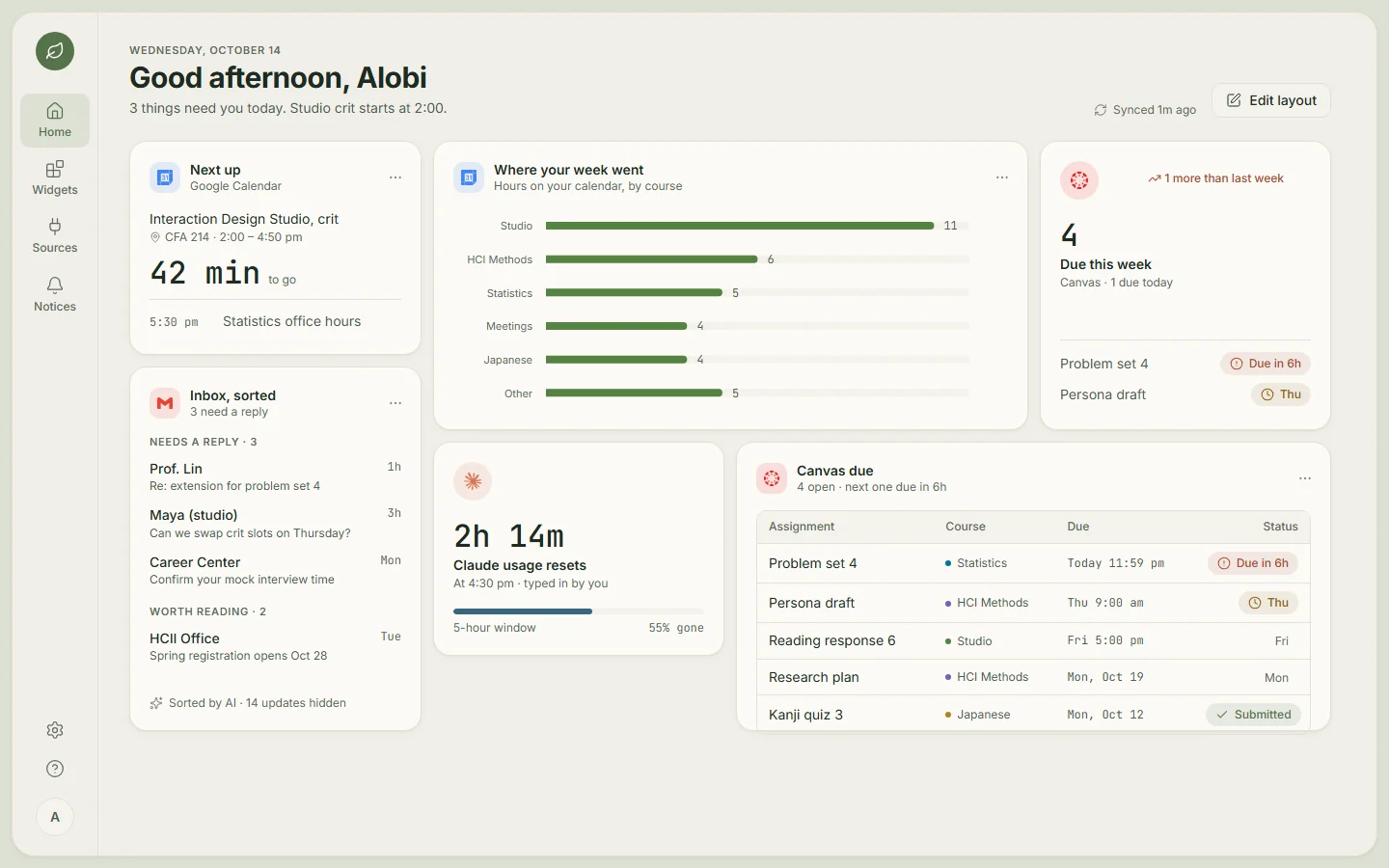
01 From a full screen to a window.
The full-screen dashboard became a compact window beside your work.
02 One colour system, three styles.
Gummy kept the warmth while giving urgent items the strongest emphasis.
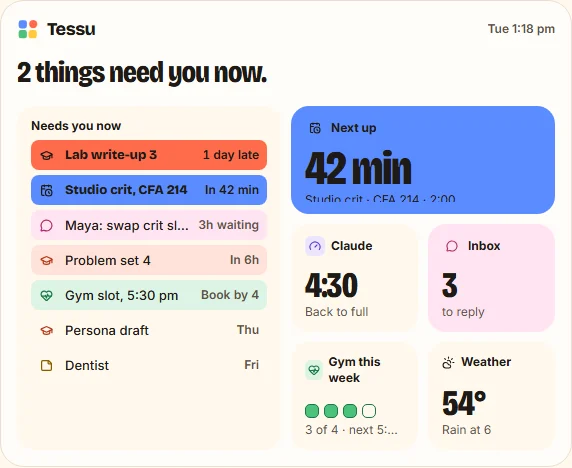
A. Sticker 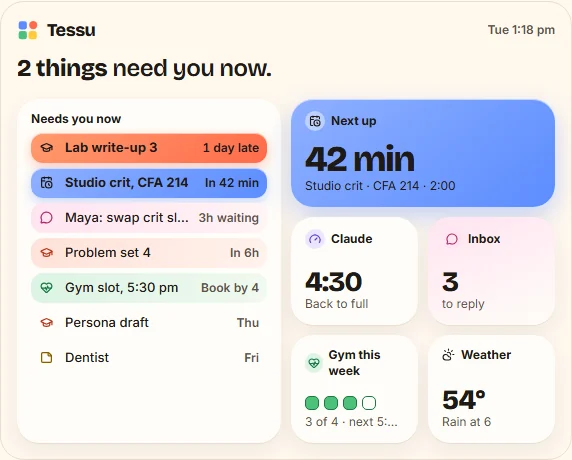
B. Poster 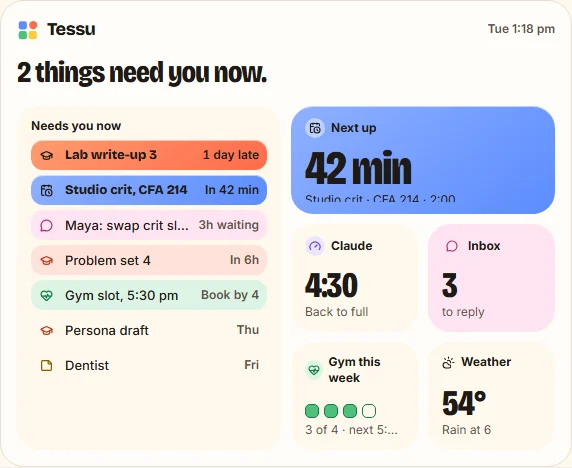
C. Gummy, picked 03 Recognizable app icons.
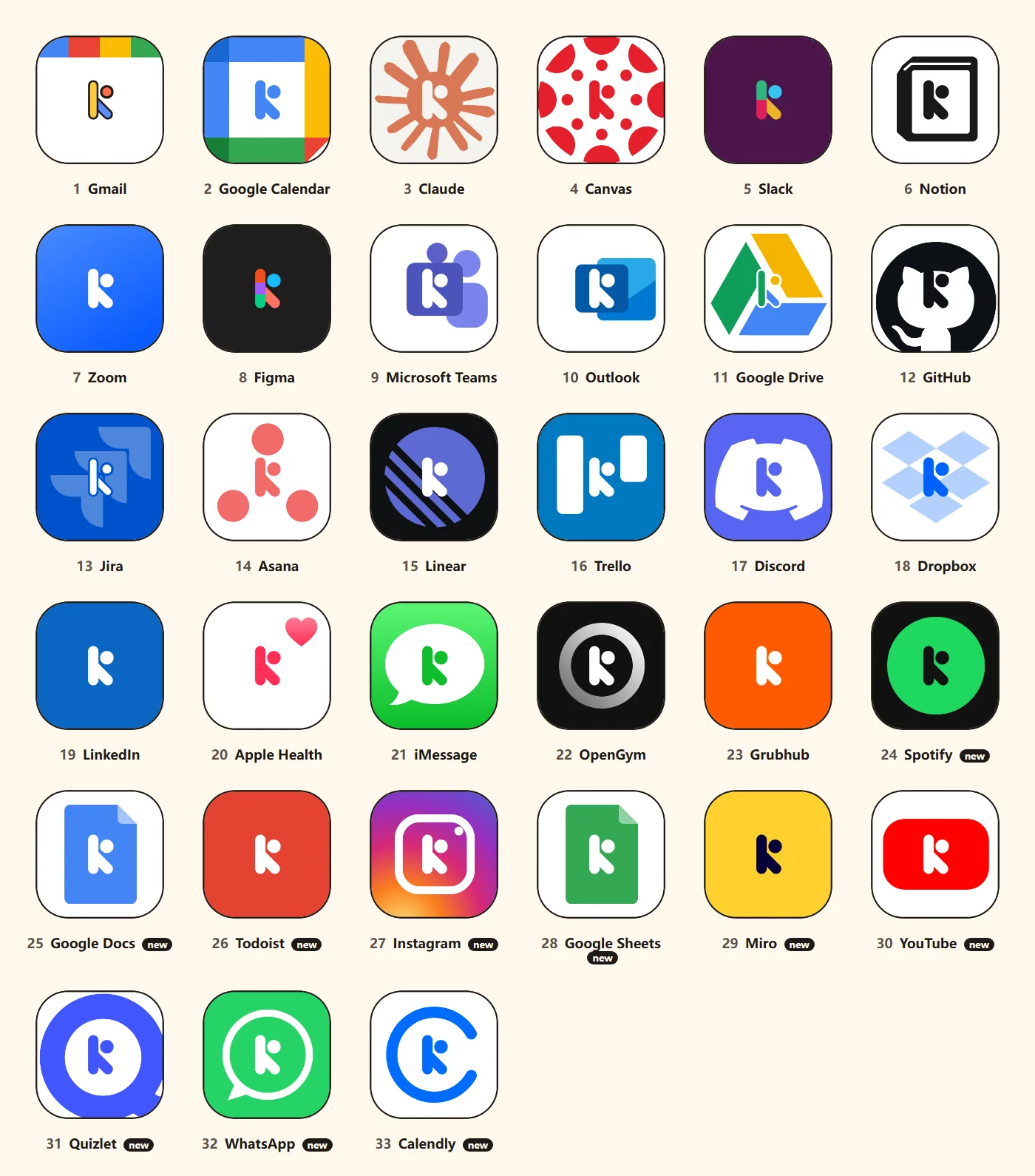
Kumi’s K takes each app’s shape, replacing the earlier abstract textures.
04 Reflection
What I’m taking forward.
A glance starts with what is left out.
The move from a full screen to a small window made the hierarchy more important. Each widget needs a useful smallest version, not a miniature of everything.
Colour needs a consistent meaning.
Kind and urgency do different jobs. Keeping that rule across the board, calendar and smaller widgets gives the colour a purpose.
Next steps
- 01Connect real accounts.
Every app runs on realistic sample data for now. Next is sign-in and the real connections; iMessage, Grubhub and LinkedIn have no public API, so the Sources page says how each one would connect.
- 02Test with students.
A week of real use with a few students, to see whether one glance really replaces the round of apps.
- 03A screen reader pass.
A full pass with NVDA, then testing with people who use assistive technology every day.
Image credits
Reference screenshots: Canvas by Instructure; Gmail and Google Calendar by Google; Todoist by Todoist. Canvas guide screenshot licensed under CC BY-NC-SA 4.0. Preview crops use a common frame; select an image to see its full screenshot. Product names and screenshots belong to their respective owners; no endorsement is implied.